
Peerspace: Unique Event Spaces
PeerspaceEvents
4.7150.00 Reviews
- Version
- 3.15.0
- Installs
- 100.00K
- Age Rating
- Everyone
Screenshots
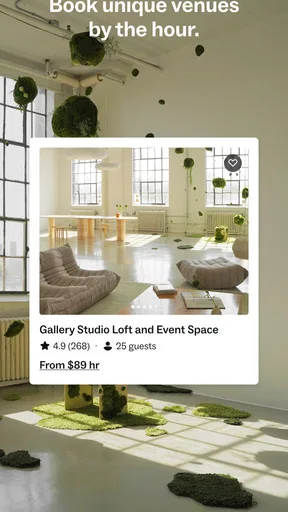
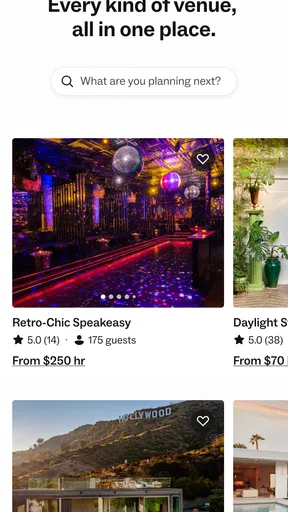

Our Review of Peerspace: Unique Event Spaces
 Analysis by Appyee
Finding a suitable place for an event is rarely just a matter of choosing a nice-looking room. I have to think about location, layout, noise, lighting, transport, equipment, timing, and whether everyone attending can use the space comfortably. Peerspace: Unique Event Spaces approaches that problem as an events app built around discovering and booking spaces for gatherings, photo sessions, meetings, and similar activities. After spending time with it, I see its main value in bringing a broad range of possible venues into one browsing experience rather than making me contact places one by one.
The app is free, aimed at everyone, and comes from Peerspace. It has reached over one hundred thousand installs, with a 4.7 average from around one thousand ratings and 142 written reviews. Those figures suggest that the concept is connecting with people who need more distinctive venues than a standard hotel meeting room or a familiar office. My experience was positive overall, but the app is most useful when I treat it as a planning tool rather than a guarantee that every venue will suit every guest.
How the app handles readability and navigation
The first thing I noticed is that the service is easier to understand when I begin with a specific purpose. Searching for a photo shoot, meeting, or private event gives the browsing process a clearer direction than simply looking for “a space.” That distinction matters because a room that works for a small business meeting may be completely wrong for a birthday gathering, a production crew, or a quiet workshop.
I found the visual presentation helpful for forming an early impression. Photos let me compare atmosphere and layout quickly, while the listing information gives the search more practical context. This is especially useful for people who process information better when text is supported by images. Instead of reading a long description before knowing whether a venue feels appropriate, I can scan the visual details first and then investigate the places that seem promising.
There is, however, a trade-off between attractive presentation and dependable planning information. A photograph can show a wide room without making it obvious how people move through it during a busy event. It may also be difficult to judge glare, background noise, door widths, seating comfort, or the amount of open floor space from images alone. I would not treat a beautiful listing as proof that it is easy for every guest to use.
My preferred workflow is to narrow the purpose and general area first, then make a second pass focused only on practical suitability. I look for clues about the entrance, circulation, furniture, lighting, and the likely sensory character of the room. After that, I contact the host with direct questions rather than relying on assumptions. This two-stage approach makes the app more useful for people who need a venue for a particular access requirement.
The current version is 3.13.6 and works on Android devices using version 7.0 or later. That relatively broad operating-system coverage makes it approachable for people who do not replace their phone frequently. Still, the quality of the experience depends on the device screen, text scaling, contrast settings, and how comfortably someone can interact with the phone. The app itself cannot solve every difficulty created by a small display or an older device.
Making visual browsing work for different users
For me, the strongest part of the interface is the ability to combine visual judgment with written venue details. Someone with low vision may prefer enlarging the screen or using a device’s spoken assistance, but image-heavy browsing can still demand extra effort. I would make sure important decisions are based on text and host communication as well as photographs, because a picture rarely answers the questions that matter most for access.
People with cognitive or attention-related needs may benefit from a simple shortlist. Rather than keeping many listings open and trying to remember differences, I would record each candidate’s location, event suitability, layout, and unanswered questions. This prevents the search from becoming an exhausting stream of similar images. It also makes it easier to share the options with another organizer or with the person who will actually attend the event.
One useful habit is to separate “looks right” from “is workable.” The first list can be based on style and atmosphere. The second should be based on concrete details such as how guests arrive, where they can sit, whether the room can be made quieter, and how the schedule affects comfort. That distinction is particularly important for sensory-sensitive guests, wheelchair users, older attendees, and anyone who needs predictable surroundings.
Motor and sensory considerations before booking
Peerspace can help me discover a venue, but the booking decision still depends heavily on questions that may need to be answered outside the initial browsing experience. For a guest with limited mobility, I would ask about the complete route, not just the room itself. The relevant route may include the pavement, entrance, lift or stairs, corridors, toilets, seating area, and any space used for registration or refreshments.
This is one of the app’s important limitations: a listing can make a venue easy to find without making every part of the access journey equally clear. If an event involves several hours of movement, even a small obstacle can change whether the space is genuinely practical. I would ask the host to describe the route in plain language and, where necessary, provide current photographs of specific points rather than accepting a general statement that the venue is convenient.
Motor access also includes the way the event is arranged. A room may be reachable but become difficult to use after tables, chairs, lighting stands, or catering equipment are added. For a photo shoot, cables and cases can affect movement. For a meeting, tightly packed seating can make it hard for someone using a mobility aid to turn or leave without assistance. I would discuss the intended setup before confirming anything, especially when the event depends on flexible movement.
Sensory comfort requires a different kind of investigation. Bright windows, reflective surfaces, loud equipment, strong smells, crowded entrances, and unpredictable background activity can all affect whether a guest can participate comfortably. The app’s event-focused search helps me think about the purpose of a venue, but it does not replace a conversation about the sensory environment at the exact time I plan to use it.
For a small gathering, I would ask whether the host can identify a quieter corner or a place where someone can take a short break. For a production, I would ask how much equipment can be brought in without creating a noisy bottleneck. For a meeting, I would consider whether the room’s visual character helps concentration or creates distraction. These questions turn a general venue search into a more realistic inclusion check.
Why photos are useful but not enough
The image-led nature of venue discovery is a genuine strength for comparing atmosphere, but it can also hide sensory details. A photograph usually captures a calm moment, while an event may involve music, conversation, equipment, food preparation, or changing light. I would avoid describing a space as quiet or calm unless the host can explain what it is like during the planned booking period.
The same applies to seating. A listing may show attractive furniture, but that does not tell me whether chairs have arms, whether people can choose different seating positions, or whether there is room for a companion or support person. I would ask for a layout that matches the event rather than assuming the arrangement shown in the listing is the one I will receive.
For users who are sensitive to uncertainty, this preparation is not optional. I would write down the answers and share them with attendees before the event. That gives people a chance to decide whether the venue feels manageable and reduces the pressure of discovering an unpleasant surprise after arrival.
Situational access for real events
The app is particularly interesting because the same space can work very differently depending on the occasion. A studio that is excellent for a controlled photo session may be uncomfortable for a social event with constant movement. A stylish meeting room may suit a small team but feel restrictive for a workshop where participants need to move around. I judge Peerspace by how well it helps me match the venue to the situation, not simply by how many attractive choices appear.
Imagine I am organizing an evening planning session for a mixed group. Some people may arrive directly from work, one person may need a quieter environment, and another may be unfamiliar with the neighborhood. I would use the app to find a room with the right professional tone, then investigate the arrival route, nearby transport, seating arrangement, and likely noise level. I would also schedule enough time for setup so guests are not entering while furniture and equipment are still being moved.
For a family celebration, the priorities change. I might care more about clear circulation, comfortable seating, accessible facilities, and a place where someone can step away from the main activity. The app’s broad event focus makes it possible to consider alternatives to a restaurant or private home, but I still need to verify whether the host permits the intended type of gathering and whether the space can handle the number and needs of the guests.
For a photo shoot, access includes more than the photographer’s ability to enter. Models, stylists, assistants, equipment cases, clothing changes, and breaks all affect the room. I would ask where people can wait, whether equipment can be positioned safely, and whether the lighting conditions can be adjusted without creating discomfort. The app helps me locate a suitable creative setting, but the production plan determines whether that setting is truly usable.
Meetings are another strong use case, especially when a normal office feels too formal, too cramped, or unavailable. I like the possibility of choosing a venue that better fits the tone of a client discussion or team session. Yet I would not assume that a visually polished room is automatically good for remote participants, people who need frequent breaks, or attendees who communicate differently. The meeting format should shape the venue questions from the start.
When a conventional alternative may be better
Peerspace is not always the right choice. If I need a highly predictable environment with established procedures, a workplace meeting room, library room, hotel conference space, or community facility may be easier to evaluate. Those options can be less distinctive, but familiarity may reduce uncertainty for guests who need consistent layouts or clear routines.
A standard venue may also be preferable when the event requires specialized equipment, formal technical support, or a known accessibility arrangement. The app is strongest when I want to compare unusual spaces and am willing to do some direct verification. It is less convenient when I need a guaranteed, repeatable setup with little room for negotiation.
Cost is another practical consideration even though downloading the app is free. The eventual venue booking is a separate decision, so I would establish a complete event budget before becoming attached to a visually appealing listing. I would include transport, equipment, cleaning, food, and any extra time needed for setup. A low-effort search can otherwise turn into an expensive commitment once the full event plan is considered.
Remaining barriers in the planning journey
The biggest barrier is the gap between discovering a space and knowing whether it will work for a particular person. This is not unique to Peerspace, but it matters more when the app encourages quick visual comparison. The host’s description may be useful, yet I would still verify details that affect participation. Accessibility is not one universal checklist; it depends on the guests, the activity, and the time of day.
Another difficulty is that access needs can be personal and sensitive. An organizer may feel uncomfortable asking a host many questions, while a guest may not want to explain private medical information. I would keep questions focused on the environment and practical arrangements rather than asking anyone to justify their needs. For example, asking whether a quiet area is available is more respectful and useful than asking why someone needs one.
Communication timing matters too. I would not leave these questions until the day before the event. If the answer reveals a problem, I need time to compare another venue, adjust the layout, or tell attendees honestly what to expect. The app is most effective when it starts a planning conversation early rather than being used for an impulsive last-minute choice.
There is also a risk of overpromising inclusion to attendees. I would describe the venue in specific terms—such as the route discussed with the host, the planned seating, and the expected activity level—instead of using broad labels like “fully accessible” without personal verification. This approach gives guests information they can actually use and leaves room for individual preferences.
People who rely on assistive technologies should also test the app on their own devices before beginning a time-sensitive search. The Android release supports devices from version 7.0 onward, but operating-system compatibility does not tell me how every screen reader, magnification setting, keyboard, or alternative input method will behave. If browsing becomes difficult, I would use the device’s built-in assistance, ask another organizer to help compare listings, and keep the final questions in a separate note.
Practical ways to reduce friction
I found that a short venue brief makes the process more reliable. I would write the event purpose, expected group size, preferred atmosphere, arrival constraints, seating needs, sensory concerns, and questions for the host before searching. This stops the most attractive image from steering the decision and gives me a consistent way to compare spaces.
I would also ask for answers in concrete terms. “Is the entrance easy?” can mean different things to different people. “Are there steps between the street and the main room?” or “Can a wheelchair user reach the seating area without moving furniture?” produces information that is easier to act on. The same principle applies to noise, lighting, toilets, and breaks.
Finally, I would prepare a backup plan. A host’s answer may be accurate but still not match a guest’s needs, or the event setup may change at the last moment. Having a second candidate, a quieter activity area, or a clear arrival contact reduces stress. That preparation is one of the less obvious benefits of using a venue marketplace: the comparison process encourages me to think through the event before I commit.
My inclusive verdict on Peerspace
I recommend Peerspace to people who want more choice than the usual office, restaurant, or hotel venue can provide. Its free app makes it convenient to explore spaces for events, shoots, and meetings, and its visual approach is useful for comparing mood and layout. The strong 4.7 average and growing install base fit my impression that it is a practical discovery tool rather than a novelty.
For inclusive planning, I would describe it as a helpful starting point, not a complete accessibility solution. It supports better decisions when I use the listings to build a shortlist, then confirm entrance routes, movement space, seating, lighting, noise, facilities, and event rules directly. That extra work is especially important for people with mobility, sensory, visual, cognitive, or communication needs.
The app is a good match for organizers who enjoy comparing distinctive venues and are comfortable asking detailed questions. It is a weaker match for anyone who needs a fully standardized environment, guaranteed support, or a booking decision based on a single accessibility label. In those cases, a familiar institutional venue may be safer and simpler, even if it is less exciting.
My final advice is to choose the space around the people attending, not around the most impressive photograph. Use the app to widen your options, keep a written checklist, ask practical questions early, and tell guests what you have actually confirmed. Used that way, Peerspace can make event planning more creative while still leaving room for the careful, individual judgment that inclusive access requires.
Privacy and Permissions
See what permissions an app requests and how it handles your data.
- Calendar
- read calendar events plus confidential information, add or modify calendar events and send email to guests without owners' knowledge
- Location
- precise location (GPS and network-based)
- Photos/Media/Files
- read the contents of your USB storage, modify or delete the contents of your USB storage
- Storage
- read the contents of your USB storage, modify or delete the contents of your USB storage
- Camera
- take pictures and videos
- Microphone
- record audio
- Wi-Fi connection information
- view Wi-Fi connections
- Other
- view network connections, change network connectivity, full network access, change your audio settings, run at startup, draw over other apps, control vibration, prevent device from sleeping
Verdict
Strengths of Peerspace: Unique Event Spaces
- Wide selection of unique venues for meetings, parties, shoots, and events.
- Detailed listings include photos, amenities, rules, and host information.
- Hourly booking makes it convenient for short events and productions.
- Search filters help narrow spaces by location, capacity, and event type.
- In-app messaging simplifies communication with hosts before booking.
Limitations of Peerspace: Unique Event Spaces
- Prices can rise significantly after service fees, cleaning fees, or deposits.
- Popular spaces may have limited availability, especially on weekends.
- Venue quality and accuracy can vary between individual host listings.
- Some bookings require host approval instead of instant confirmation.
- Cancellation and refund policies differ depending on the listing.
Similar Picks in This Category
View All
Easy Quran Mp3 Audio Offline
Muslim Worldapp4.7

Invitation Maker: Cards & RSVP
Greetings Island4.9

StubHub - Live Event Tickets
StubHub4.3

Fever: Events & Tickets
Fever Labs4.7

Epic Freebie Games Radar
Arioch Pds - Apps & Games4.4

Invitation card Maker, Design
Splendid App Maker4.9
Frequently Asked Questions
What is Peerspace: Unique Event Spaces used for?
Peerspace is a marketplace for discovering and booking distinctive venues by the hour. It is designed for activities such as photo and video shoots, meetings, workshops, parties, weddings, podcasts, and other gatherings. The app lets you browse spaces, review photos and amenities, compare prices, check availability, and contact hosts before requesting or confirming a reservation.
How do I find a suitable venue on Peerspace?
You can search by city, neighborhood, event type, date, time, and number of guests. Filters help narrow results according to price, venue style, amenities, accessibility, and permitted activities. Each listing normally includes photographs, a description, house rules, reviews, capacity information, and booking details, but it is still important to message the host if your plans require special equipment or setup.
How much does booking a space on Peerspace cost?
Prices vary considerably depending on the location, venue type, day, time, guest count, and intended use. Some hosts charge an hourly rate, while additional fees, overtime charges, cleaning costs, service fees, or security deposits may apply. Before completing a reservation, carefully review the full price breakdown, cancellation terms, minimum booking duration, and any extra conditions shown for the specific listing.
Can I cancel a Peerspace reservation or receive a refund?
Cancellation and refund eligibility depend on the host’s policy and the timing of your cancellation. Different listings may offer flexible, moderate, or stricter terms, so there is no single policy that applies to every booking. Review the cancellation section before paying, and contact the host or Peerspace support promptly if your plans change, a venue becomes unavailable, or a serious issue affects the reservation.
Is Peerspace safe and reliable for booking event spaces?
Peerspace provides listing information, host profiles, guest reviews, messaging, and in-app booking tools that can make venue planning more organized. However, the experience can differ between hosts and locations. Read recent reviews, verify the address and amenities, clarify rules and access instructions, and keep communication and payments within the platform whenever possible. Confirm insurance, permits, noise limits, and event restrictions when relevant.
